Spaced review
Four grades at each review. Each one shows when the card comes back.
A flashcards app
Grade a card as you review it, and Scholarch chooses the day you see it next. Make cards by typing, by hand or with AI, bring the decks you already have, and study any deck five ways.
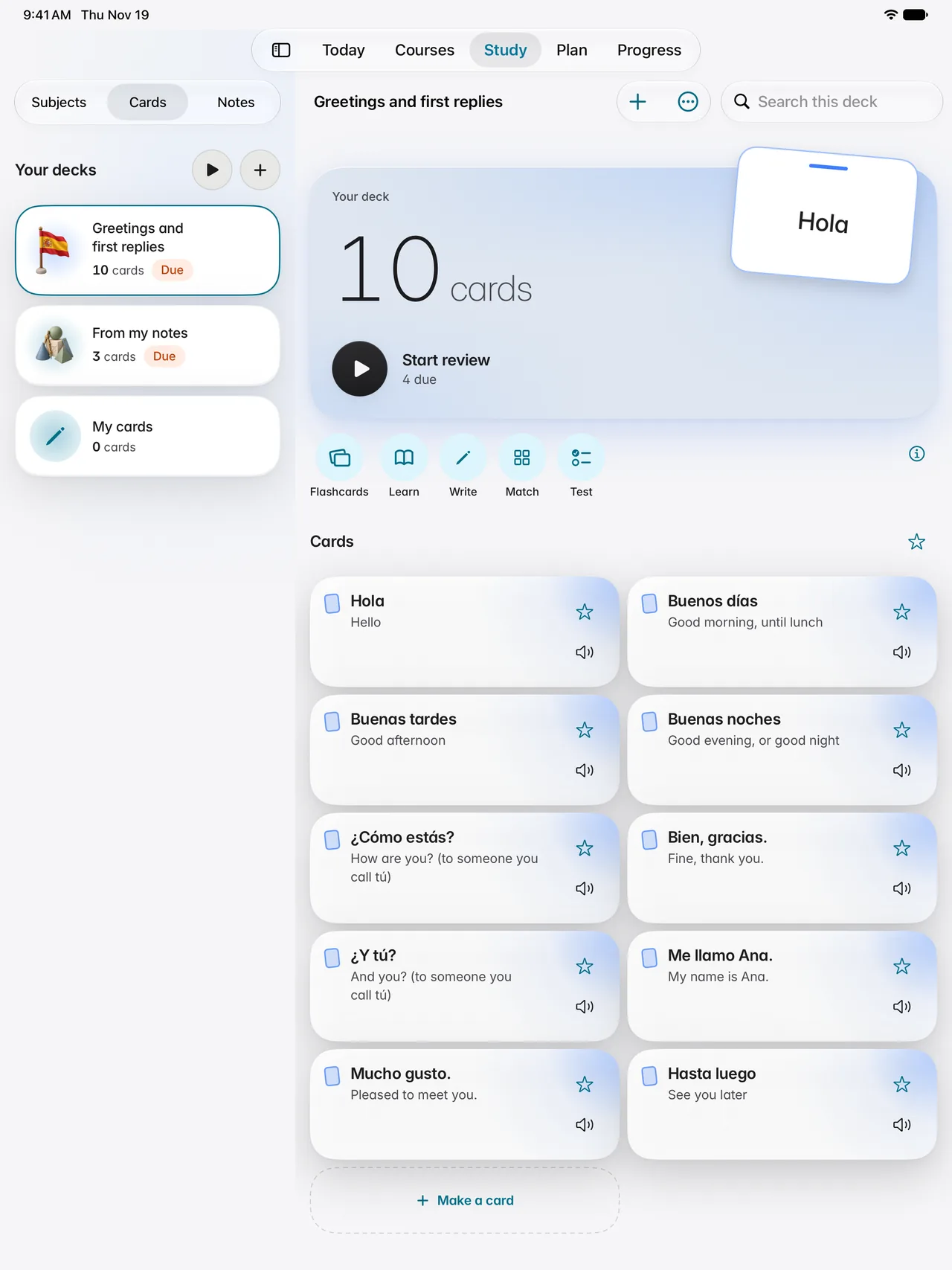
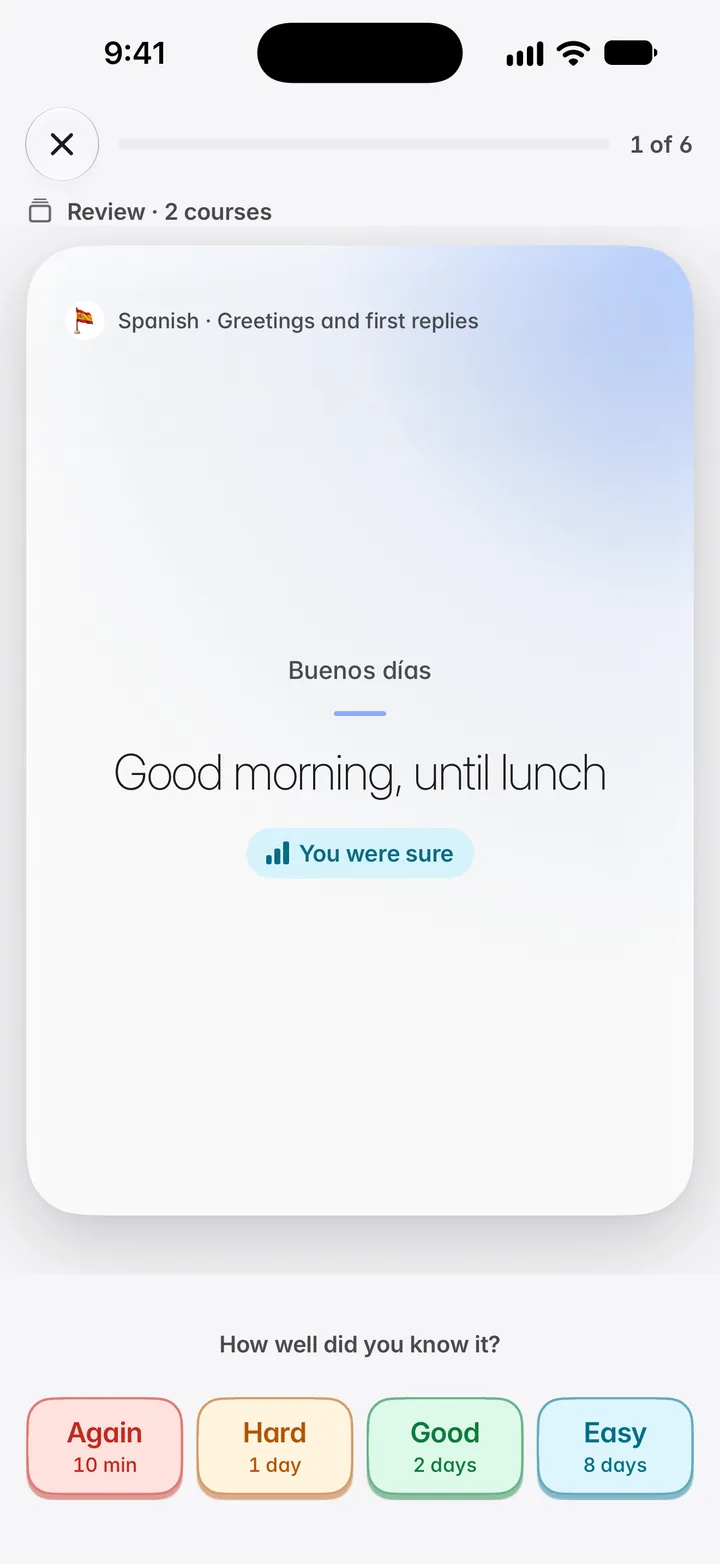
Grade a card as you review it, and Scholarch chooses the day you see it next. Any deck can be studied five ways.
Four grades at each review. Each one shows when the card comes back.
Type it, write it by hand, or have AI draft cards from your notes for you to check.
Import an .apkg deck, a CSV or TSV file, or a pasted list.
Yes. Each time you review a card you give it one of four grades, and each grade shows when the card will come back. Cards you find hard return sooner and cards you know return later.
Yes. You can import an .apkg deck, a CSV or TSV file, or a pasted list.
Yes. Scholarch drafts cards from your notes and you check each one before it joins a deck. Drafting cards uses your monthly AI credits.
Yes, on an iPad. You write the card by hand, your handwriting is read on the iPad itself, and the words read from it stand under your writing.
Five ways: Flashcards (turn the card, then grade it), Learn (asks again what you missed), Write (type the answer), Match (pair them against the clock) and Test (a marked practice test).
Scholarch runs in the browser, and in the Scholarch Education apps for iPhone and iPad where the App Store in your country offers them; the iPad app also runs on Mac computers with Apple silicon. One account works in each, with your work following you.
There are two plans. The Base plan is $14.99 a month and the Max plan is $49.99 a month, in US dollars, and both hold every lesson and every study tool. Your first lesson in each subject is free with an account.